
Introduction
Traveling abroad doesn’t always mean you have to stop using your regular SIM card.
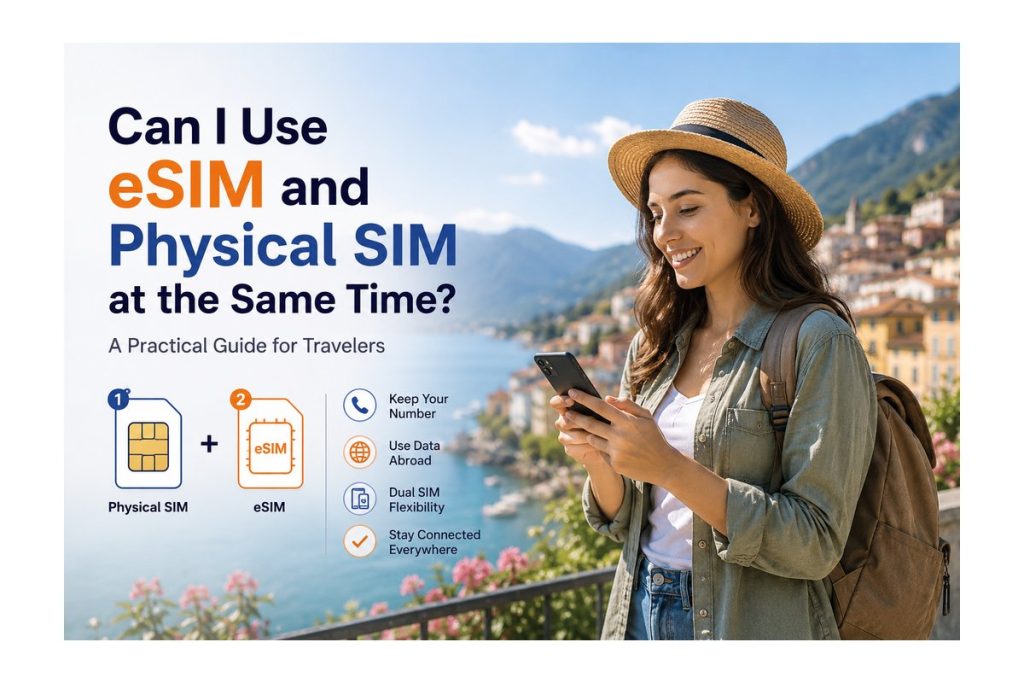
If your smartphone supports dual SIM functionality, you can use an eSIM and physical SIM at the same time. This can be especially useful when traveling internationally because you can keep your primary number active while using an eSIM for mobile data.
But how does it actually work?
In this guide, we’ll explain how to use both SIMs together, which one should handle your data, and what travelers should know before setting it up.
Can You Use an eSIM and Physical SIM Together?
Yes, many modern smartphones support dual SIM functionality, allowing you to use a physical SIM and an eSIM simultaneously.
This means you can:
- Keep your regular SIM active
- Use an eSIM for travel data
- Receive calls or messages on your primary number
- Switch mobile data between SIMs
- Avoid removing your physical SIM
For international travelers, this makes staying connected much easier.
How Dual SIM Works While Traveling
When both SIMs are installed, your phone allows you to assign different functions to each line.
For example:
Primary SIM → Calls & SMS
Travel eSIM → Mobile Data
This setup lets you keep your existing number while using the travel eSIM for internet access.
The exact settings depend on your smartphone model, but most devices provide options for selecting your preferred SIM for mobile data.
Why Use an eSIM for Data?
Using an eSIM specifically for mobile data can be useful when traveling abroad.
Keep Your Primary Number
You don’t need to remove your regular SIM just because you’re traveling.
Your existing number can remain available for important calls, messages, or account verification where supported.
Avoid Physical SIM Swapping
There’s no need to remove your SIM card and store it somewhere safe while traveling.
Your physical SIM stays inside your phone.
Use a Dedicated Travel Plan
Your eSIM can handle your travel data while your regular SIM remains available for your normal mobile services.
How to Set Up eSIM + Physical SIM
The setup is generally simple.
Step 1: Install Your eSIM
Purchase your travel eSIM and install it using the provider’s instructions or QR code.
Step 2: Keep Your Physical SIM Active
Leave your regular SIM installed if you want to continue using that number.
Step 3: Select Your Mobile Data SIM
In your phone’s SIM or mobile network settings, select the travel eSIM as your preferred mobile data line.
Step 4: Check Your Settings
Make sure the correct SIM is selected for mobile data before you start using the network abroad.
Step 5: Start Traveling
Once your eSIM is active and connected to a supported network, you can use mobile data while keeping your primary SIM available.
Should Your Primary SIM Stay On?
That depends on how you use your phone.
If you need access to your regular number for calls, messages, or other services, keeping it active may be useful.
However, travelers should always review their carrier’s roaming settings and charges before using the primary SIM abroad.
For data usage, you can select your travel eSIM as the preferred mobile data line.
What About Calls and SMS?
Your phone can often use different lines for different purposes.
For example:
Physical SIM: Calls and SMS
eSIM: Mobile Data
This is one of the biggest advantages of dual SIM functionality for travelers.
However, available features can vary depending on your phone, carrier, and eSIM plan.
Who Should Use Both SIMs?
This setup can be especially useful for:
International Travelers
Keep your regular number while using a travel eSIM for data.
Business Travelers
Stay reachable through your primary number while using a separate travel data plan.
Frequent Travelers
Avoid repeatedly removing and replacing physical SIM cards.
Travelers Who Need Their Regular Number
If you rely on your existing number for important communication, dual SIM functionality can be convenient.
Things to Check Before Using Dual SIM
Before your trip, check:
- Whether your phone supports dual SIM
- Whether your device supports eSIM
- Which SIM is selected for mobile data
- Whether data roaming is enabled for the correct line
- Your primary carrier’s international roaming charges
- Your eSIM plan’s supported destination
Taking a few minutes to check these settings can prevent connectivity problems during your trip.
Common Mistakes to Avoid
Using the Wrong SIM for Mobile Data
Make sure your travel eSIM is selected as the data line if that is your preferred setup.
Accidentally Using Roaming on Your Primary SIM
Check your primary SIM’s roaming settings before traveling to avoid unexpected charges.
Forgetting to Install the eSIM
Don’t wait until you’re struggling with connectivity after landing. Install your eSIM according to the provider’s instructions before you need it.
Not Checking Device Compatibility
Not every smartphone supports eSIM or dual SIM functionality.
Why eSIM + Physical SIM Is Useful for Travel
The combination gives travelers more flexibility.
You can keep your existing SIM while adding a travel eSIM for data, meaning you don’t have to completely change the way you use your phone just because you’re abroad.
For travelers who want convenience without giving up their regular number, it’s a practical setup.
Why Simigo Is a Practical Choice
Simigo provides travel-focused eSIM solutions designed around simple setup and connectivity.
With destination-based plans and a digital activation process, travelers can prepare their connection before or during their journey.
The Simigo website also presents a simple three-step setup flow covering compatibility, app access, and plan activation.
Conclusion
Yes, you can use an eSIM and physical SIM at the same time if your smartphone supports dual SIM functionality.
For travelers, one of the most practical setups is to keep the physical SIM for your regular number and use the eSIM for travel data.
Before your trip, check your device compatibility, SIM settings, and roaming preferences. With the right setup, you can stay connected without constantly switching physical SIM cards.
Frequently Asked Questions
1. Can I use an eSIM and physical SIM together?
Yes, many smartphones support both simultaneously.
2. Can I use my physical SIM for calls and eSIM for data?
Yes, this is a common dual SIM setup, depending on your device and carrier.
3. Do I need to remove my physical SIM to install an eSIM?
No. If your phone supports dual SIM functionality, you can keep the physical SIM installed.
4. Will using both SIMs cost more?
The cost depends on how each line is used and your carrier’s roaming policies. Check your primary carrier’s charges before traveling.
5. Can every phone use eSIM and physical SIM together?
No. Support depends on the specific device model, carrier, and region.